
Five Excel Functions
Five lesser-known Excel function use cases

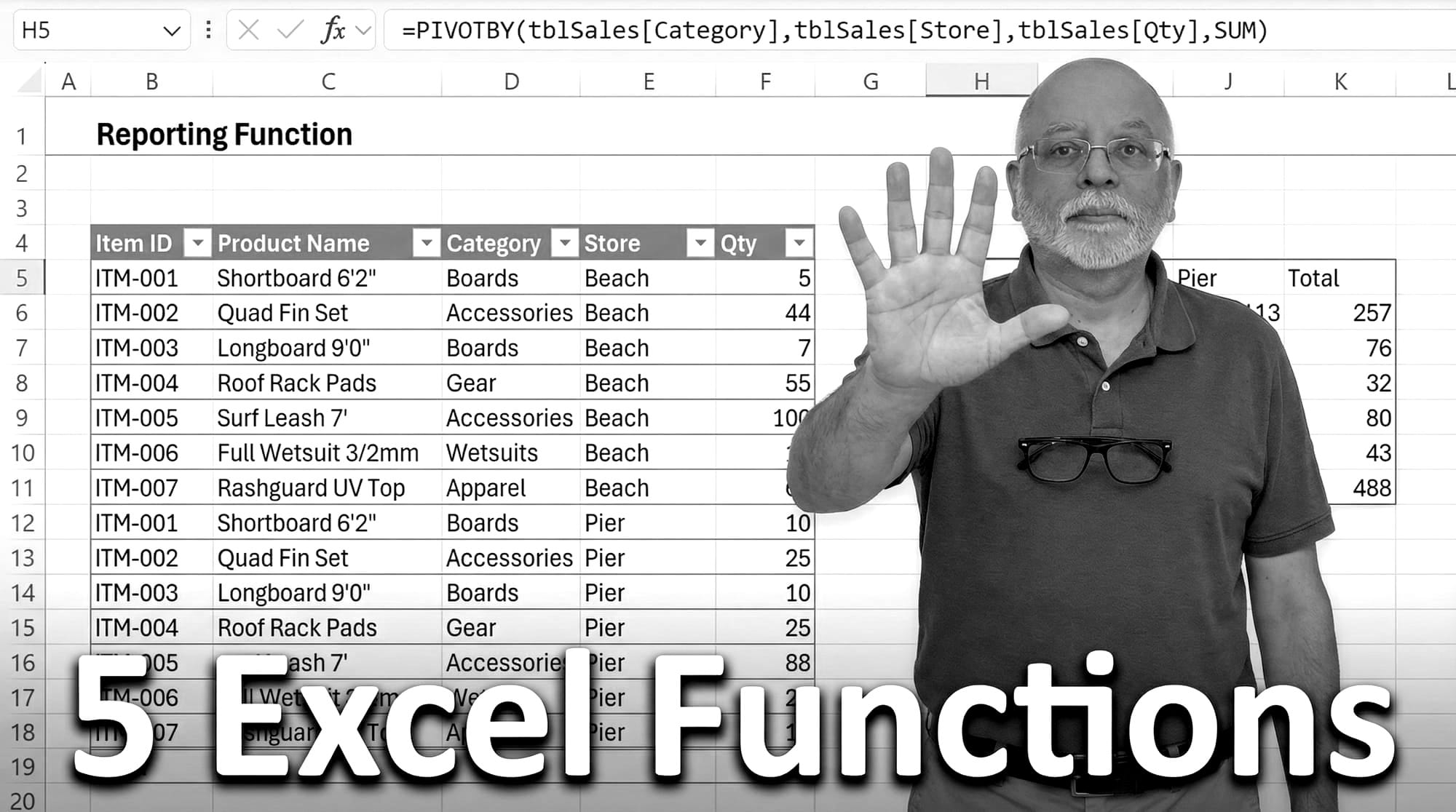
Within the HR GOAT team the most popular tools utilized are Alteryx and Tableau. However many business users outside of HR who don't have access to these tools widely use Excel.
The YouTube algorithm showed me a video about five powerful Excel functions that made me realize it's been a while since I really explored Excel. I used to be proficient with VBA macros, pivots, and even power pivots & DAX.
The author of the video has a nice blog post elaborating these functions so I encourage you to check that out for more details.
Here are his top 5 functions and their applications:
- FILTER : Replaces XLOOKUP and VLOOKUP for lookups, especially when needing to return multiple matches. It can also perform complex logical tests (AND/OR) for data extraction.
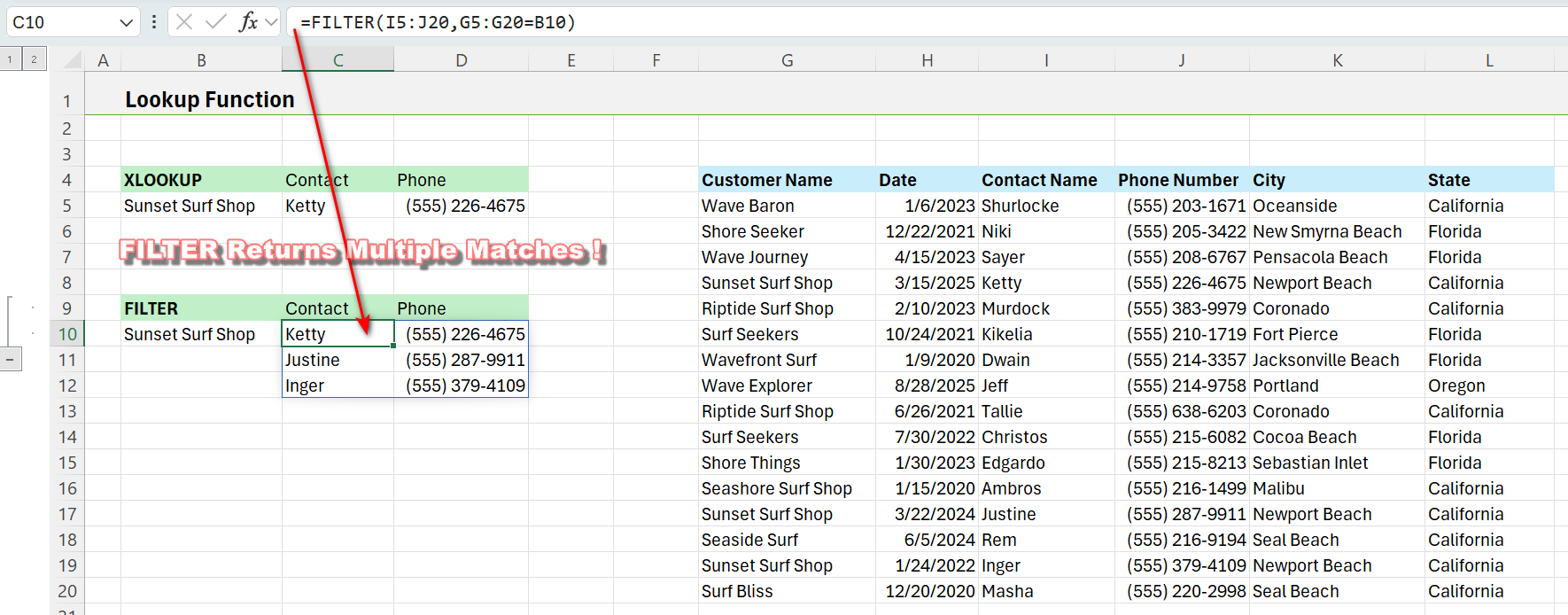
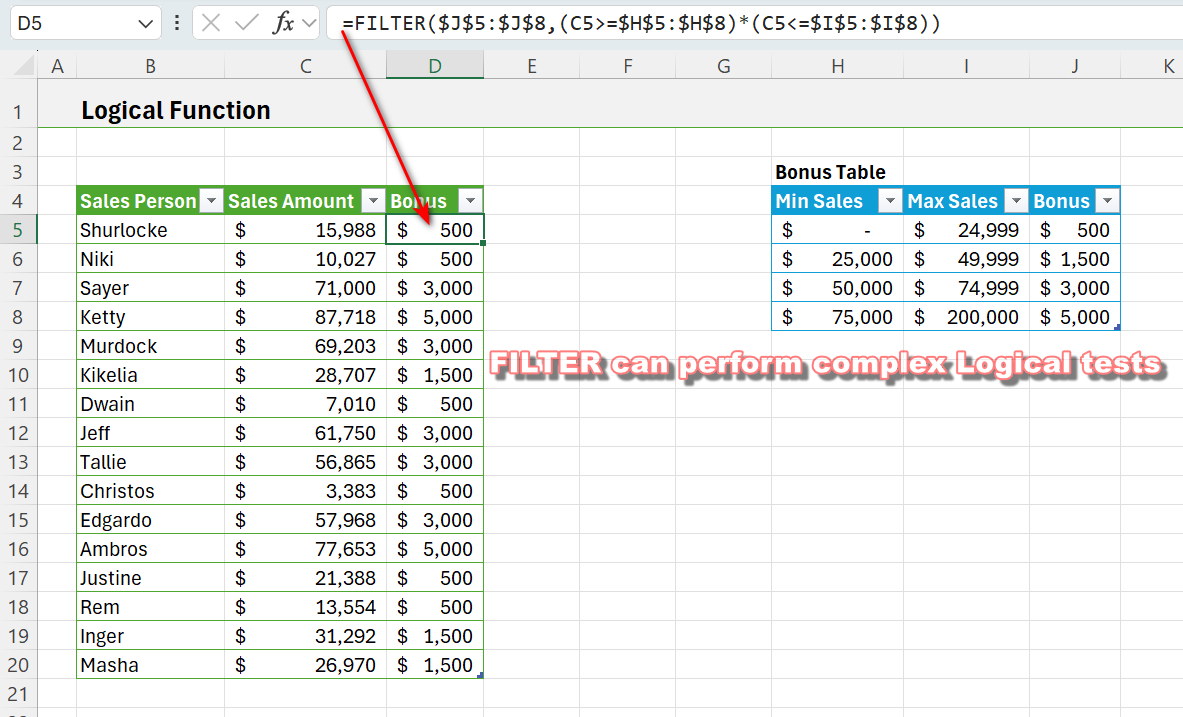
- AGGREGATE: Replaces SUM, AVERAGE, COUNT, and SUBTOTAL. It is powerful because it can ignore hidden rows or errors and sum up ranges that already contain other subtotal functions without double-counting .
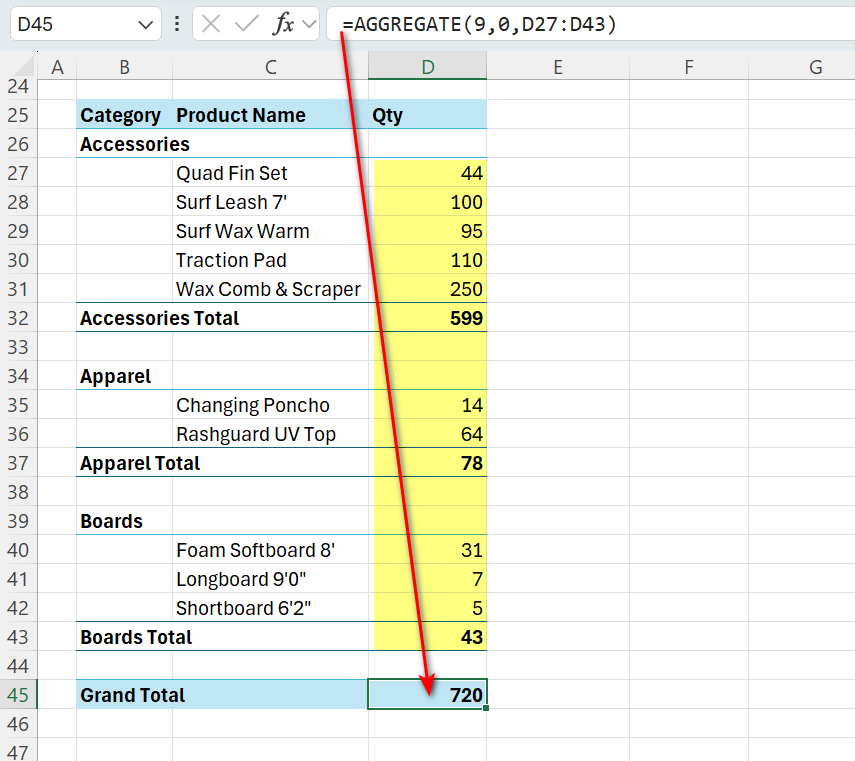
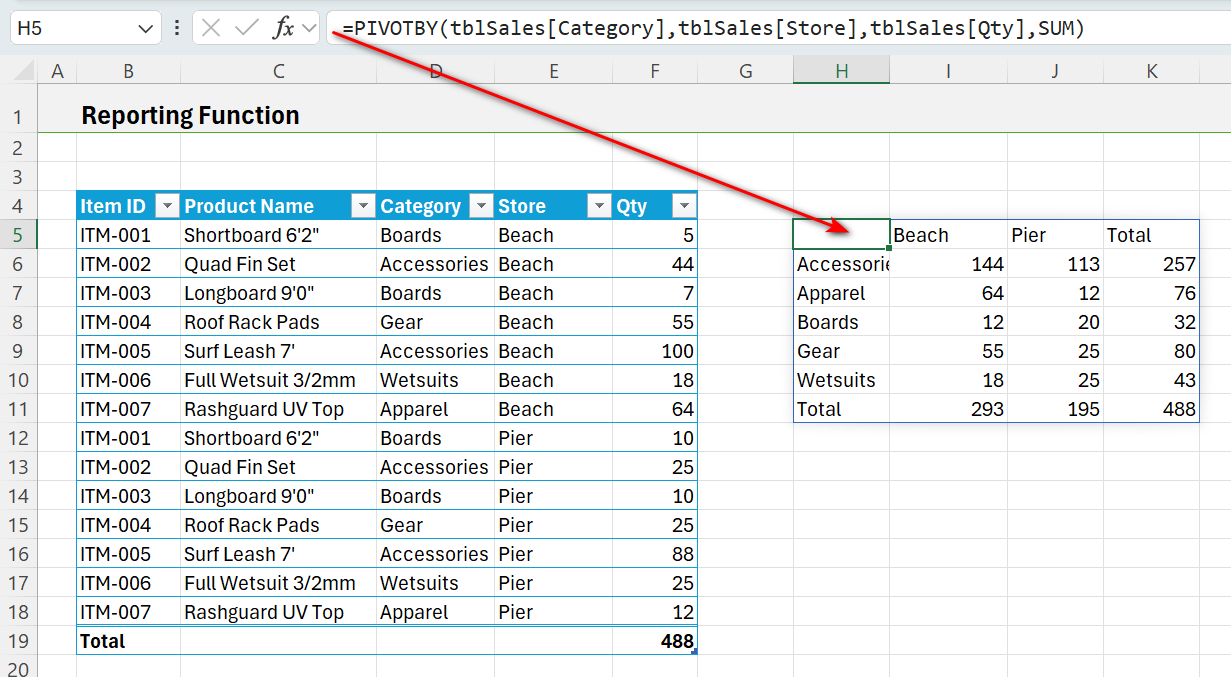
- PIVOTBY: Replaces traditional Pivot Tables and complex combinations of UNIQUE and SUMIFS. It creates dynamic summary reports based on formulas.
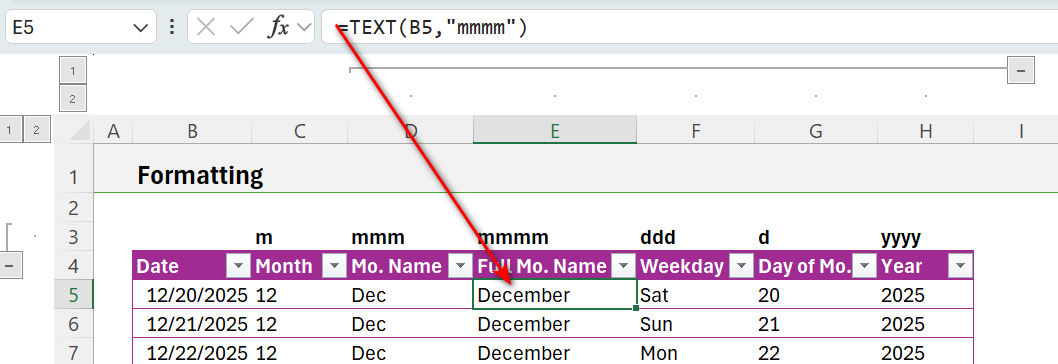
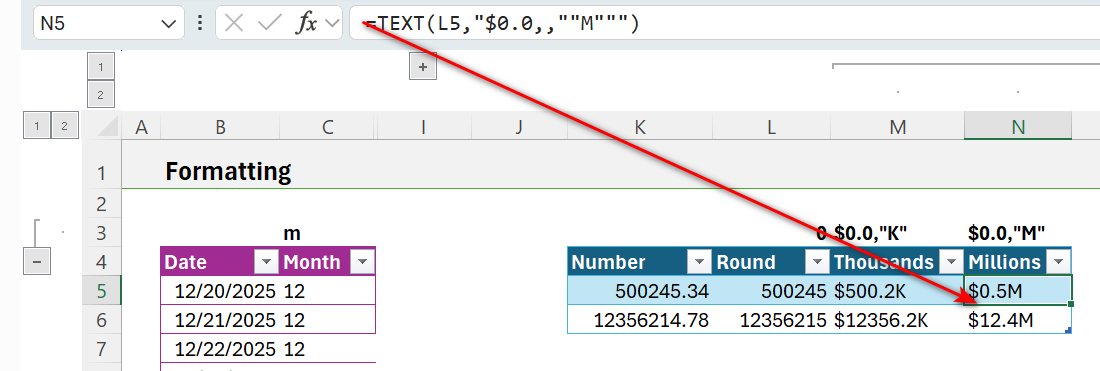
- TEXT : Replaces specific functions like MONTH or YEAR by allowing you to format dates and numbers (e.g., millions) directly within a formula for reporting .
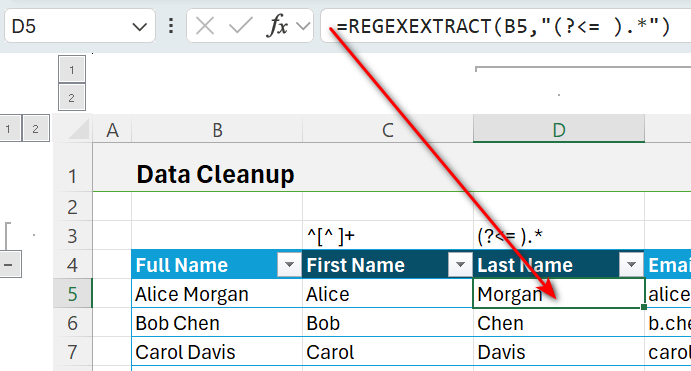
- REGEXEXTRACT: Replaces a wide array of text cleanup functions like LEFT, RIGHT, MID, TEXTBEFORE, TEXTAFTER, and TRIM . It uses patterns to extract specific data, such as first names, last names, or zip codes.
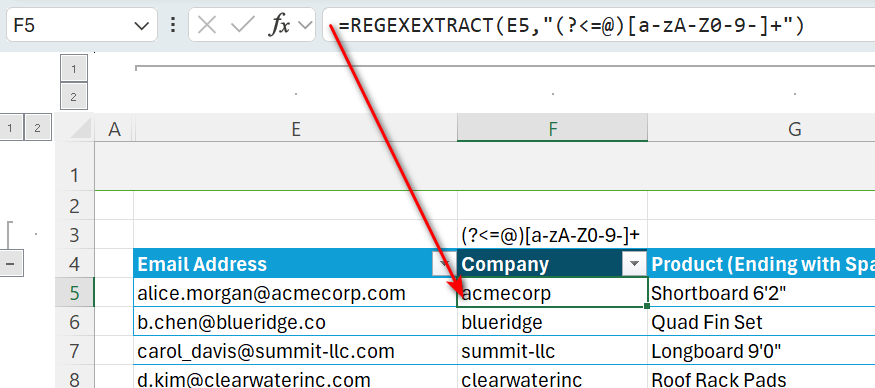
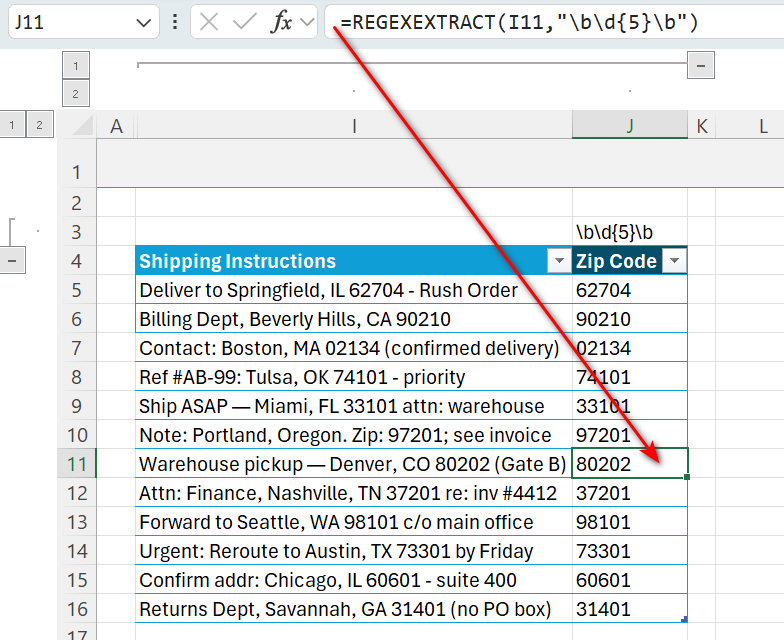
The actual Excel file explaining these examples is attached. I hope you learned at least one useful tip from these examples.