
Gemini GEM for Prompt Engineering
A gem to vastly improve your prompt engineering by leveraging JSON

Early Saturday morning I stumbled across a nice video from Craig Does AI, a channel I haven't seen before.
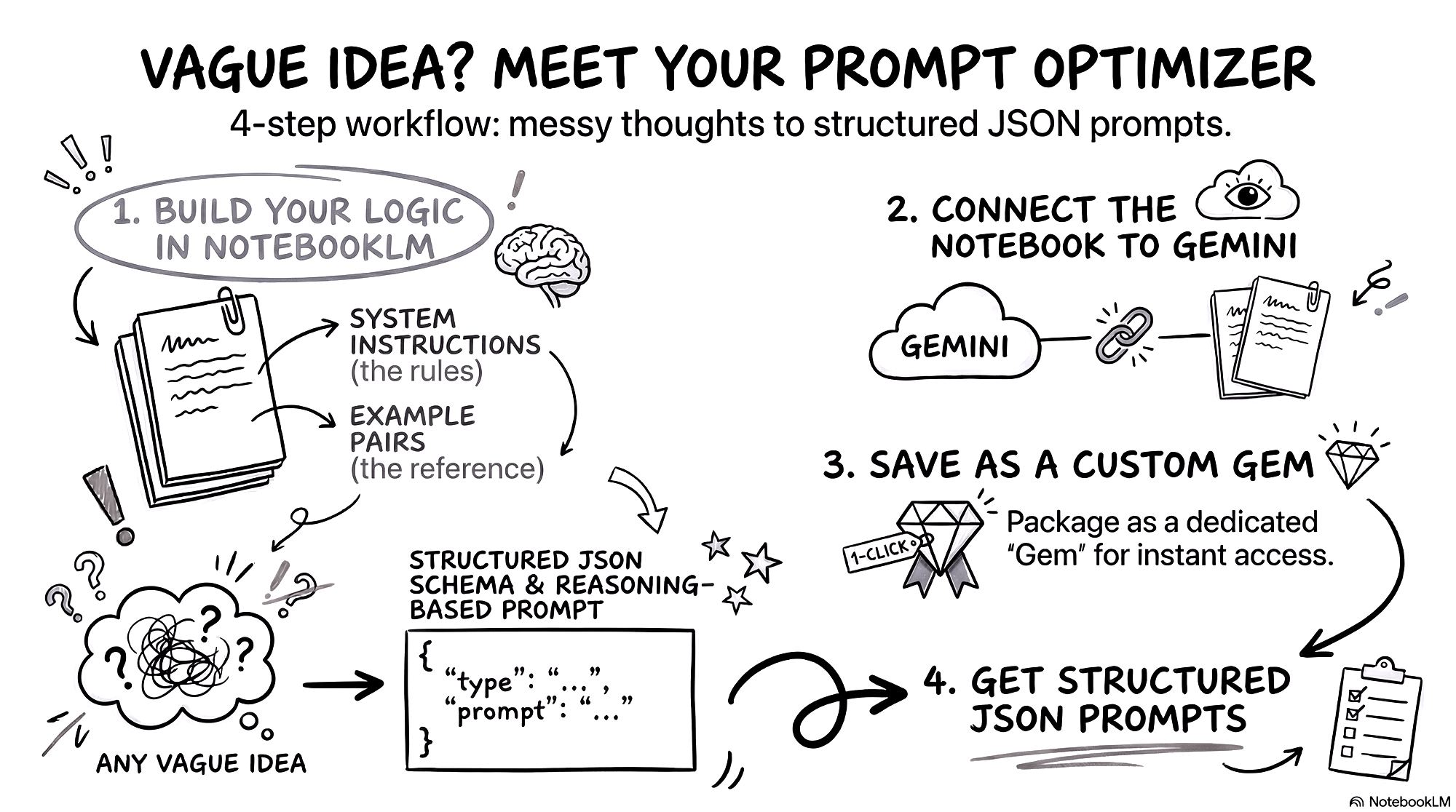
In this video Craig shows you a two-file workflow he built in NotebookLM and Gemini that takes any messy, half-baked idea you throw at it and turns it into a clean structured prompt — automatically, every time, for any topic.
This video outlines a two-file workflow using NotebookLM and Gemini designed to turn messy ideas into structured, actionable prompts automatically. The system is built in under ten minutes and eliminates the need for manual prompt engineering frameworks.
Why Prompts Fail.
Most prompts fail due to a lack of structure and reasoning guides. The AI guesses what you want, leading to inconsistent results.
The Solution: JSON & Chain-of-Thought
- JSON Structure: Acts like a form, defining exactly which fields the AI must fill (e.g., skill level, budget) so it cannot wander.
- Chain-of-Thought Layer: Provides a step-by-step thinking path for the AI before it generates the final answer, reducing hallucinations and improving quality.
Building the Workflow
- Set up NotebookLM: Create a new notebook and add two notes.
- System Instructions: The rules file telling Gemini how to process inputs.
- Example Pairs: Before-and-after examples that show Gemini what a high-quality output looks like.
- Connect to Gemini: Open a new chat in Gemini, click the plus button, and attach the NotebookLM notebook you just created.
Optimization
You can turn this into a permanent Gem within Gemini for one-click access
Reference document.
The necessary files for the prompt optimizer are given in his Notion document.