
It Takes a Village
Creating Music Video clips in Minimax H3


to create a music video clip in MiniMax H3...
For Daily Challenge - Tribal Drums
After three and a half months of being in storage on August 25th, I took my RTX 4090 computer out of the moving box and connected it to the internet.
The reason I did this was FOMO.
Fear of missing out because in the daily challenges at Pixaroma Discord people have started producing a lot of amazing video clips using MiniMax H3, locally.
#1 - Ioan, aka Pixaroma
At about 6:00 in the morning I reached out to Ioan. He told me he's working on a version to speed up the H3 workflow using four-step LoRA.
For example, Ioan had generated the following video clip in just 35 seconds!
Ioan shared a couple of Text to Video, and First Frame to video workflows with me, which he was testing for the upcoming episode 32.
Ioan shared a link to a Gemini Gem to help with Minimax H3 Prompting. This was a first frame to video model.
Ioan's links worked quite nicely, however my interest was more in music videos.
#2 Ivo Tavris
Ivo is the creator of EZ Installer, which is the indispensable tool to install all the complicated prerequisites for ComfyUI to align with the tutorials that Pixaroma does.
At about 6:15, I reached out to Ivo, for advice on the best way to bring my ComfyUI up to date after the 3-1/2 month gap - which is eons in the fast moving space of Gen AI.
Ivo responded: "Update Easy-Install.bat" and "Update ComfyUI.bat" should be enough
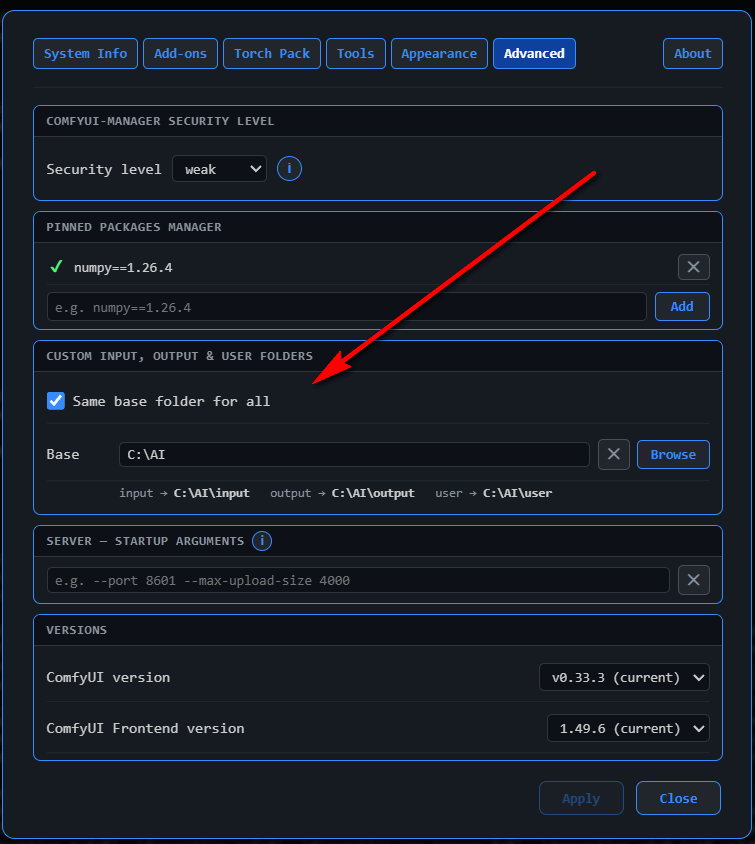
Later in the day, I needed Ivo's help again, to know how to point my comfyUI folders to z:/AI/ instead of C drive.
Ivo replied:
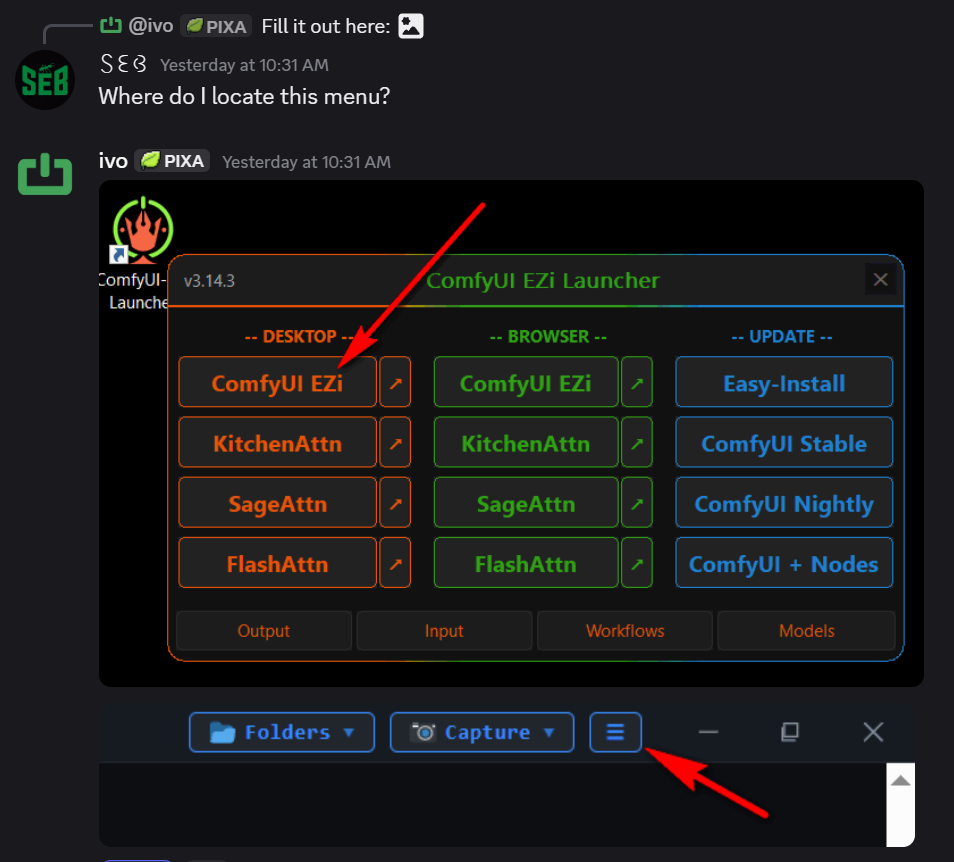
Just move the root ComfyUI folder and run "Update Easy-Install" again. This will update the Desktop shortcut.
He told me about this menu setting,
#3 Maarten aka Maartificial
At about 11:30AM, Maarten send me a MusicVideo Template, and also another H3 workflow called Seed Hunter, which he loves, because it quickly generates previews at low rez, and then upscale your favorite.
For the (reference image to video) prompting, Maarten provided me with the following resources.
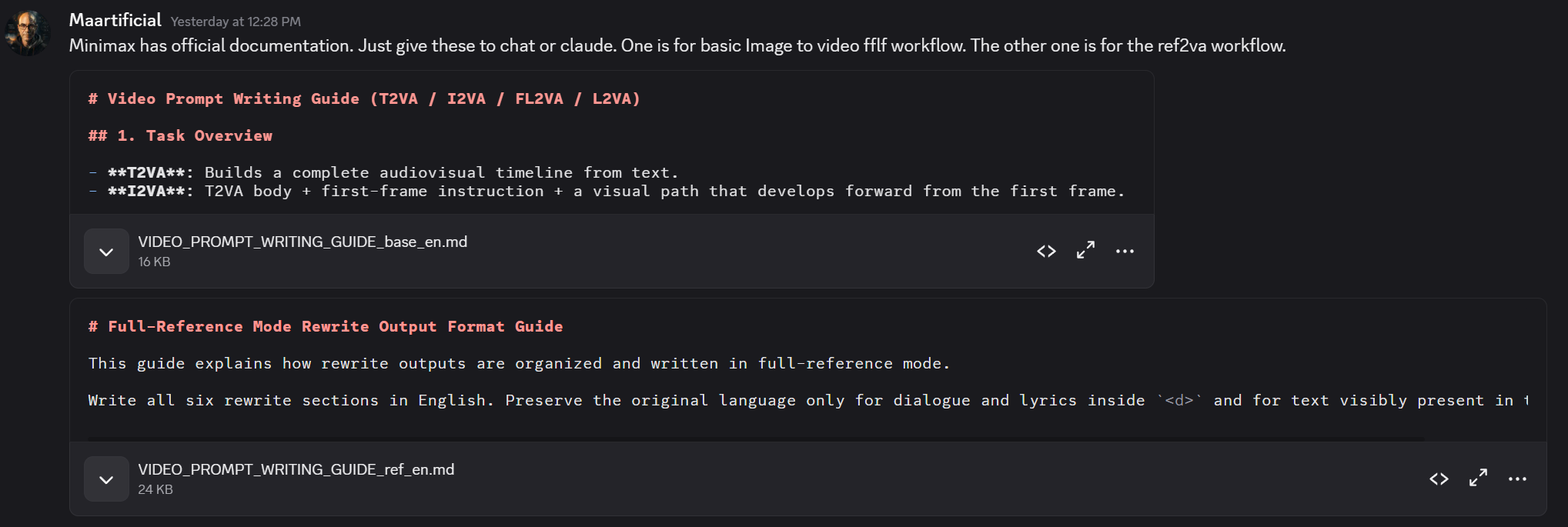
I converted the Reference Image Markdown into a Claude Skill.
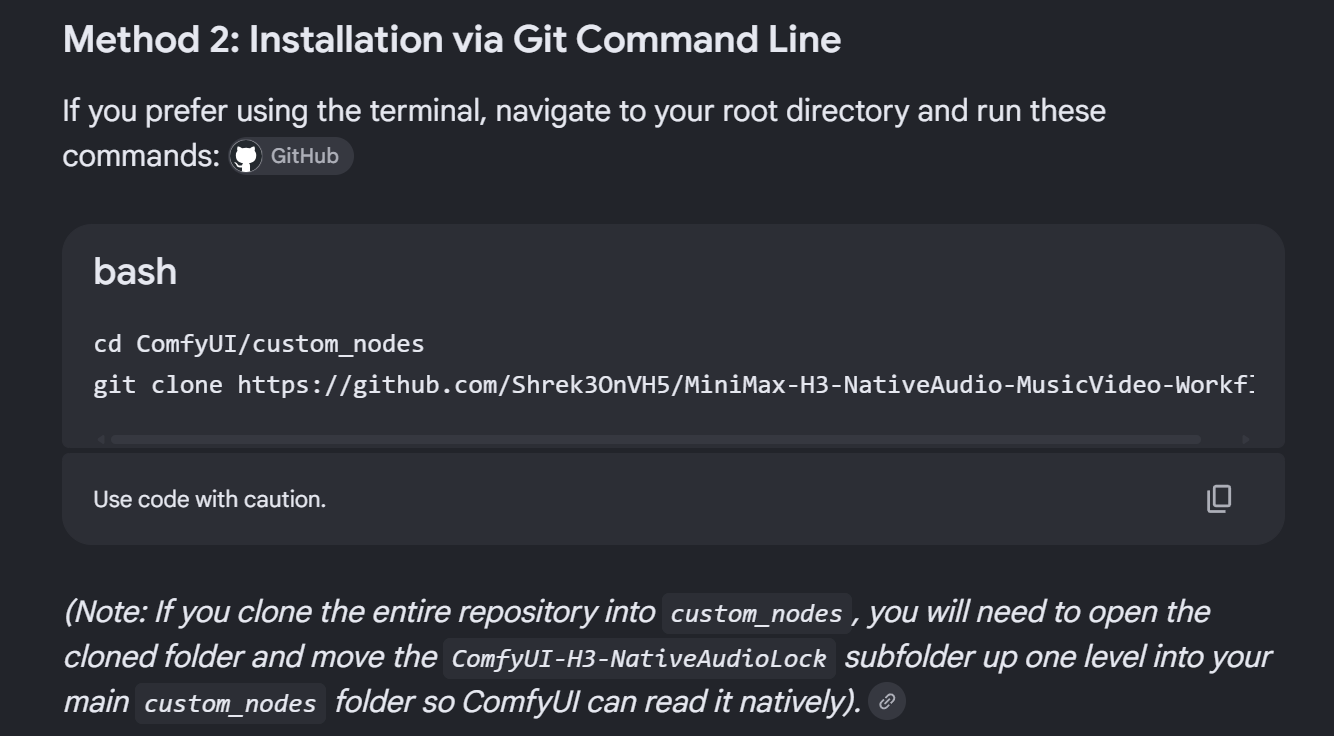
Using his workflow, I got an error about a missing node that ComfyUI manager didn't seem to know about.
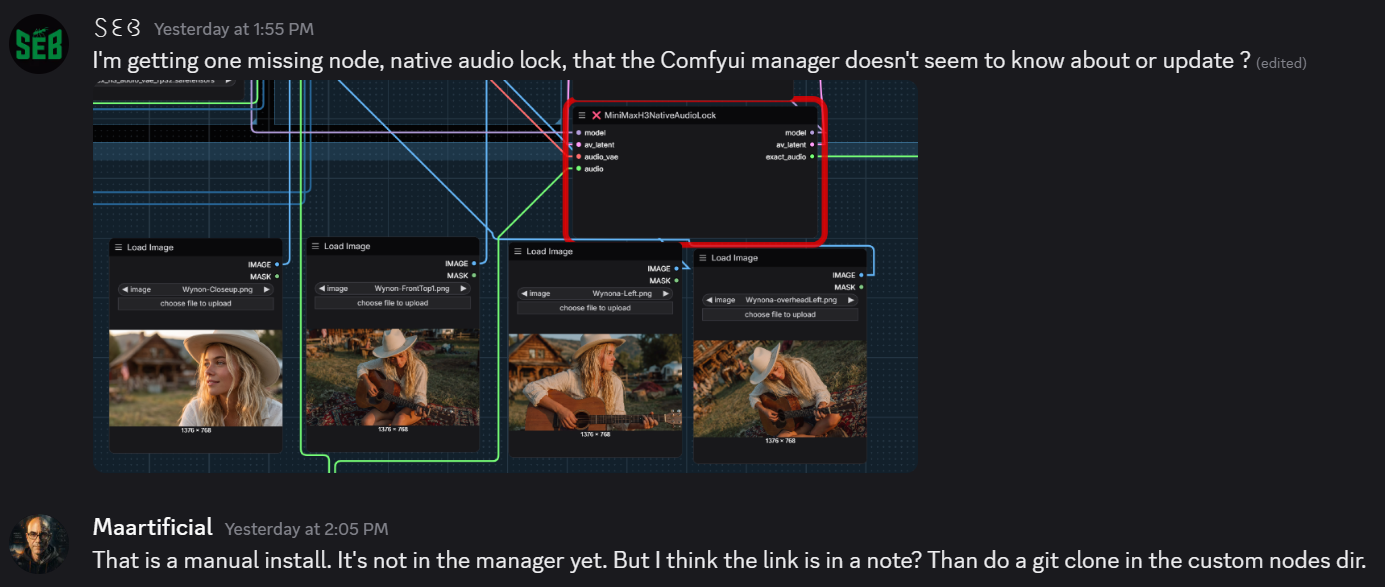
The solution was a manual update via git that Google Search helped me with.
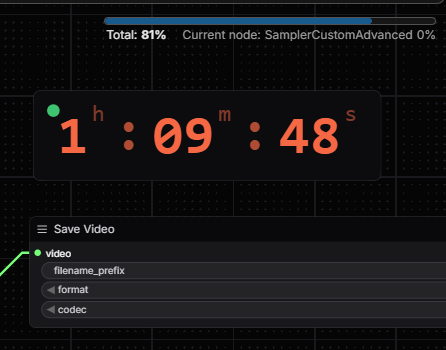
Unfortunately I learned that adding multiple references, even just four images, is extremely slow and I had to kill the workflow after about one hour and ten minutes because it seemed stuck at 81%.
#4 ᴬˢᴰ 𓅓𓆩𓆪 aka Jeet
I requested Jeet at 11:15AM for a simple workflow for music video clip.
Jeet shared this, which was his simplest one. He added it takes him about eight minutes to do a 15-second video clip using three reference images.
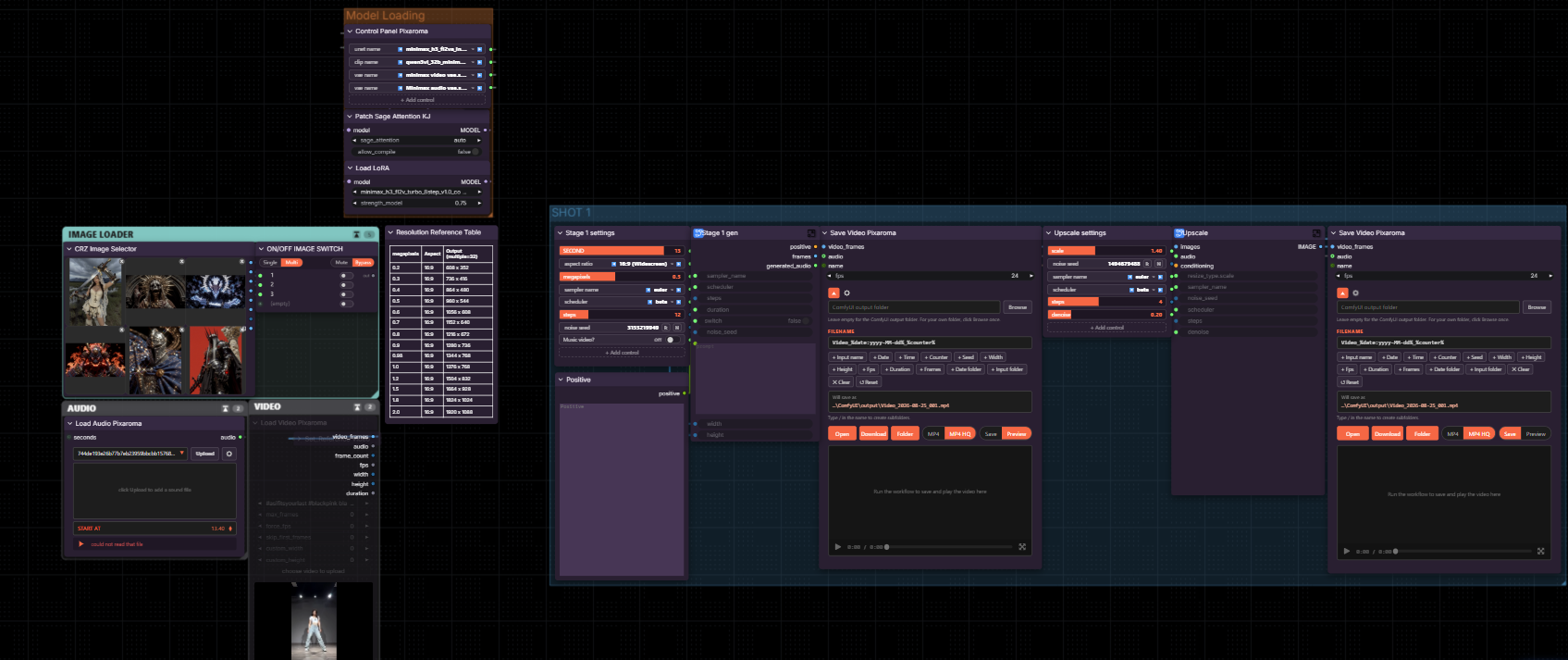
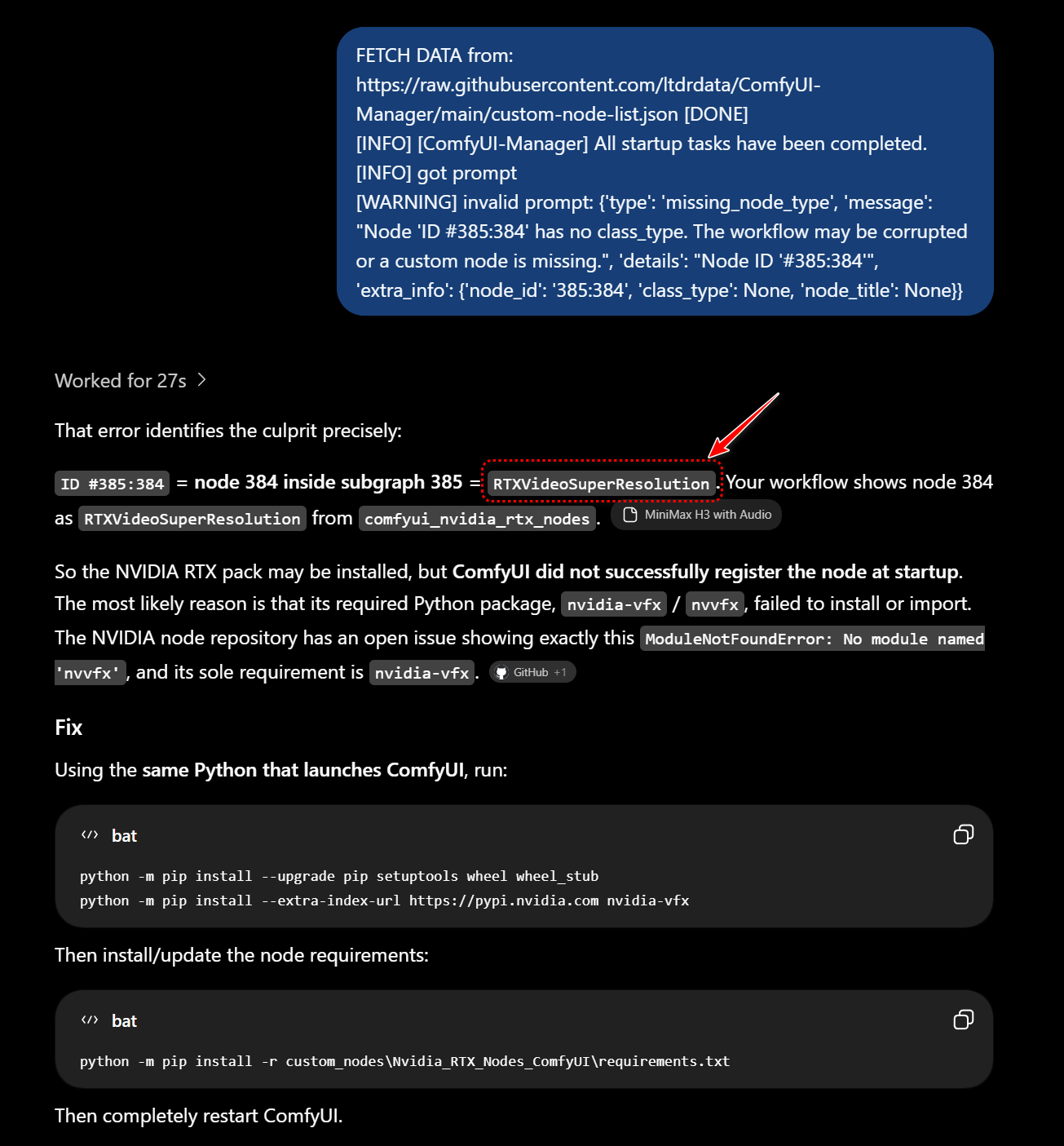
Using that workflow I initially had to git clone some missing nodes that could not load via the comfyUI Manager.
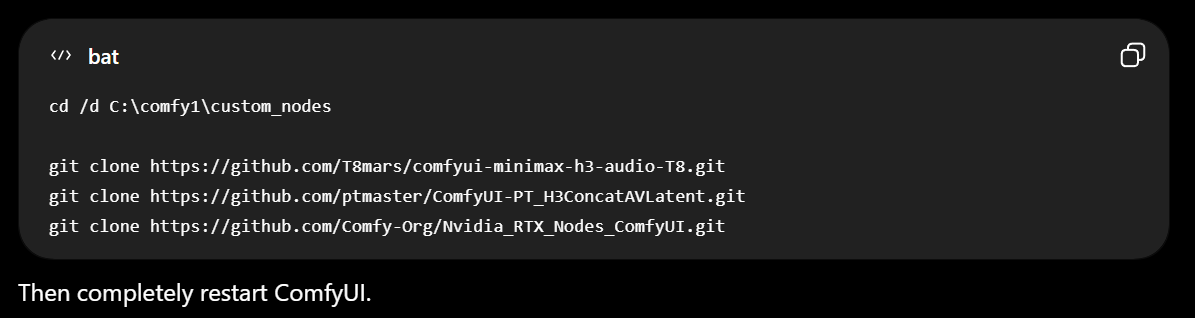
ChatGPT help identify and fix another error.
Yet another issue was that this workflow was using a huge model, and I only had a slow Wifi based internet connection of about 35MBPS down - which would take a couple of hours to download 😦
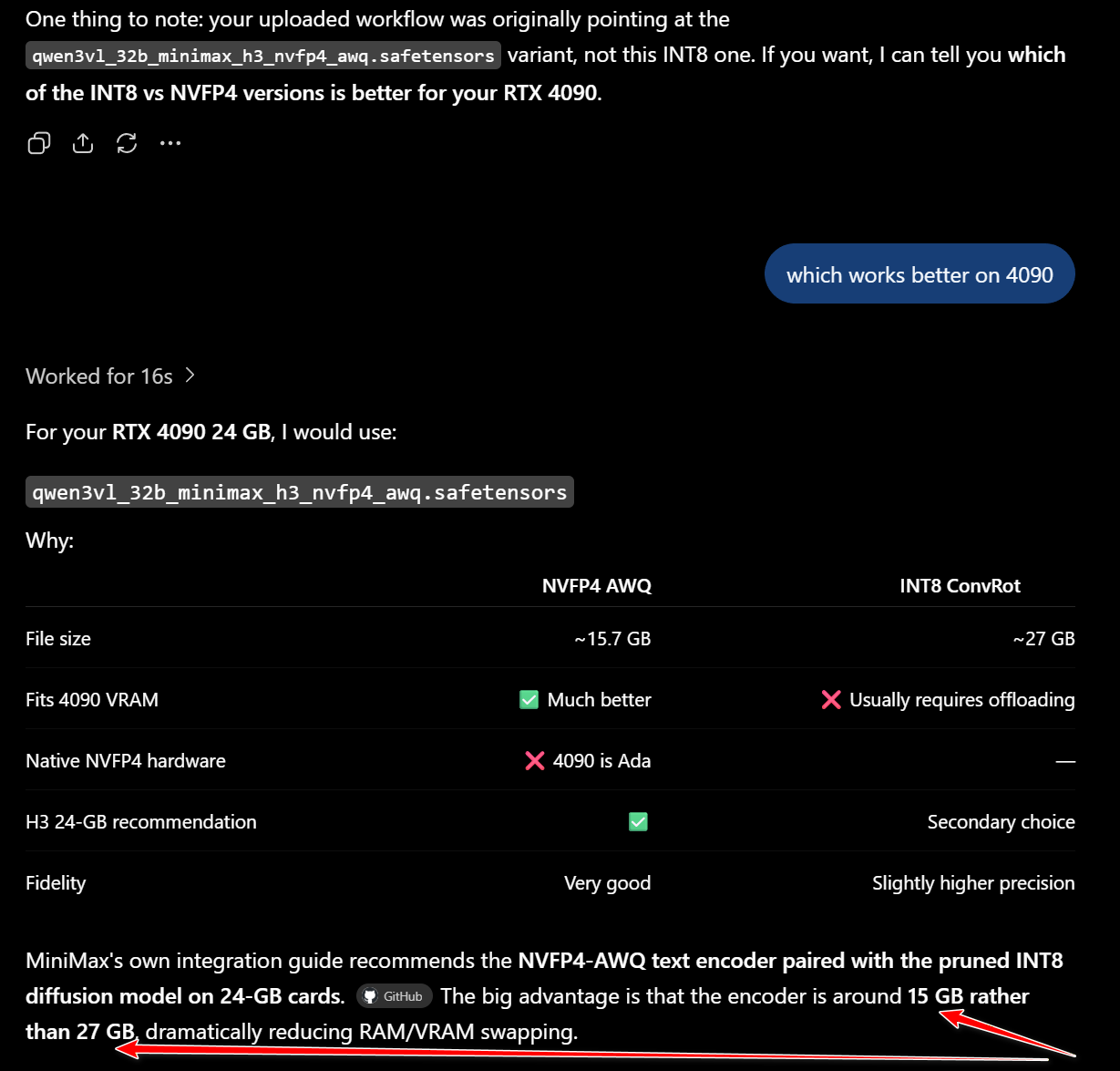
I had already downloaded the NVFP4-AWQ text encoder based on Ioan's workflow, but the INT8 was sort of "hardcoded" into Jeet's workflow.
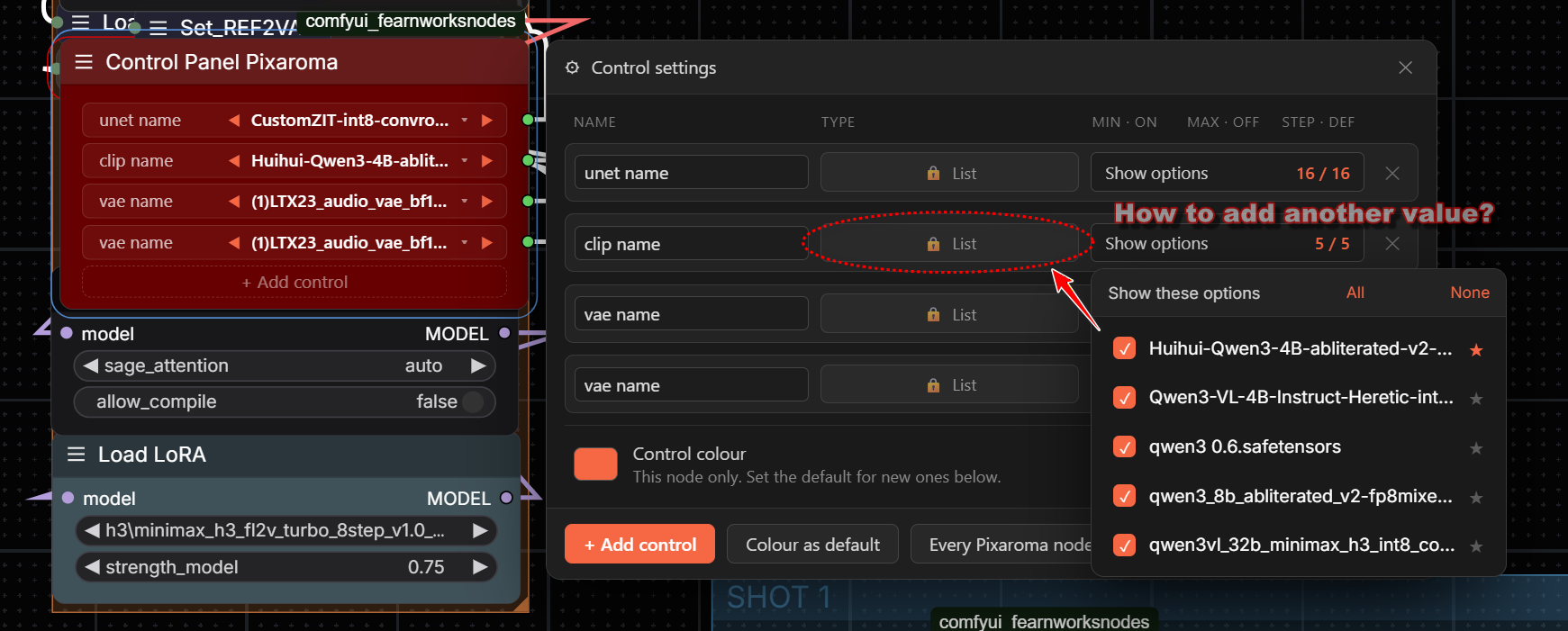
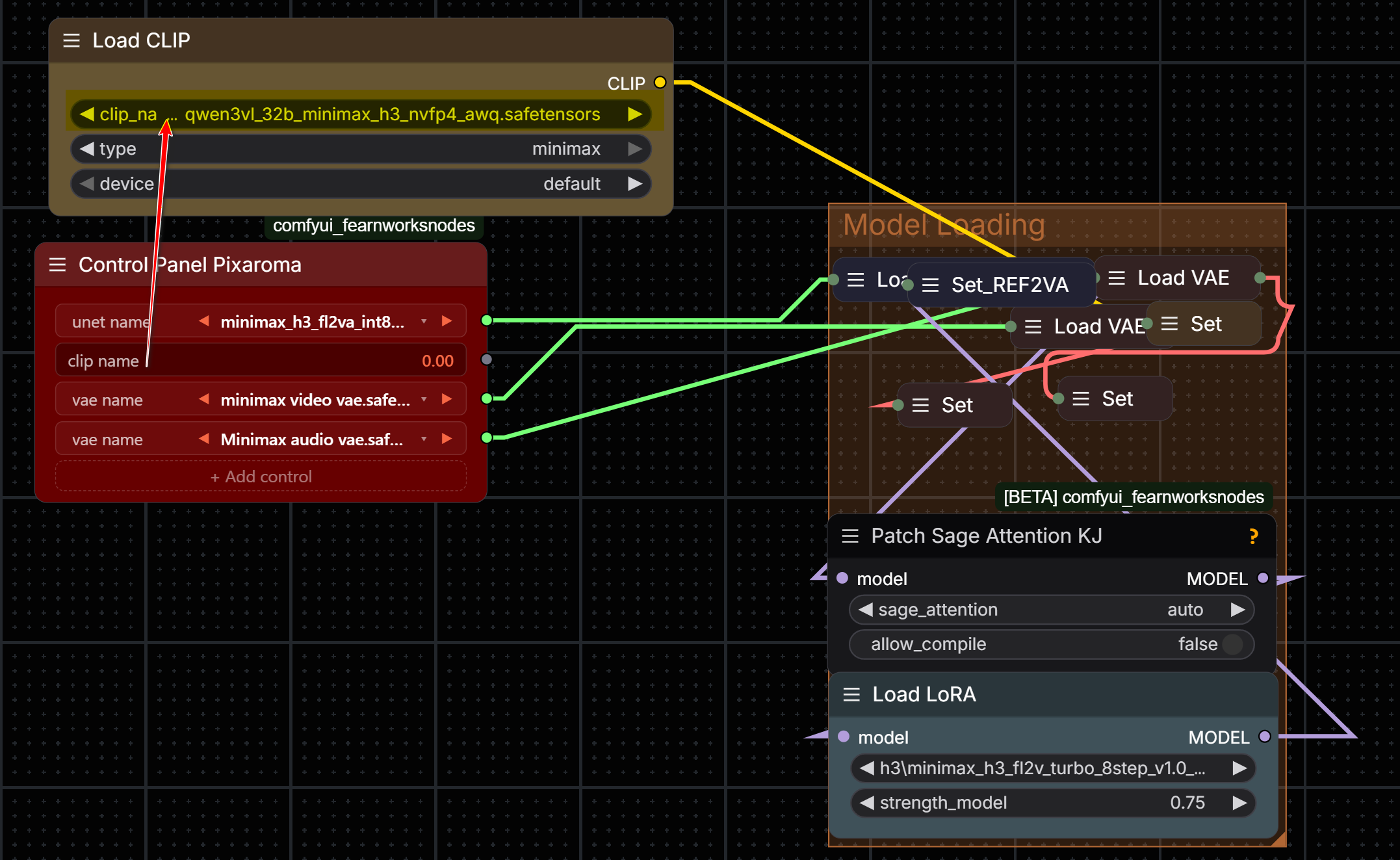
Because I didn't know how to modify the Control Panel dropdown list from the Pixaroma nodes to select my smaller model, I resorted to the following messy hack of manually assigning the Load CLIP rather than select from the Control Panel.
Finally, I was able to create the following clip in 13-1/2 minutes.
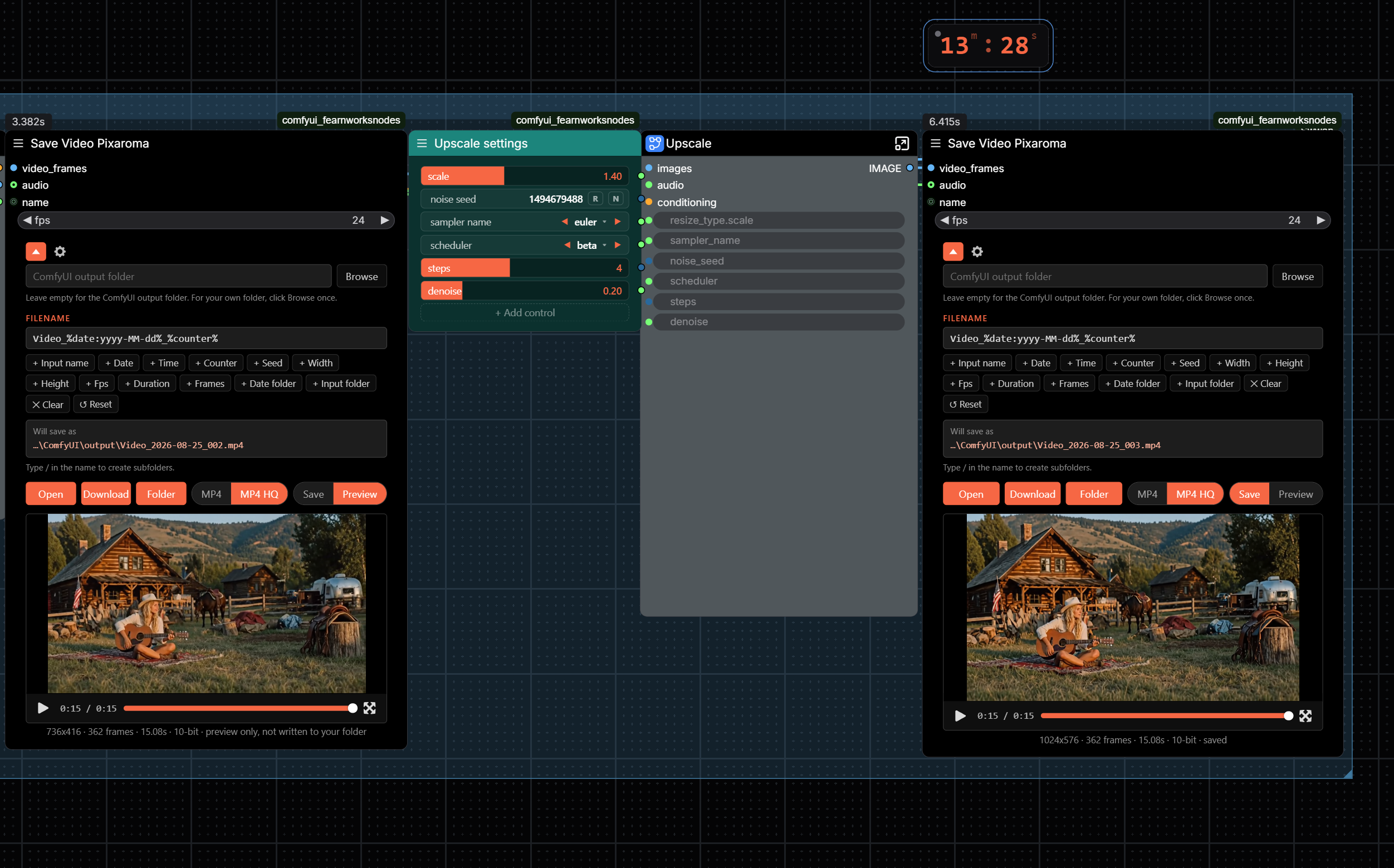
Subsequent runs showed me that the video upscales are EXTREMELY slow on a 4090 GPU.
However I was able to upscale to 2K resolution in Legacy Magnific, in just 17 minutes. ( I had purchased Magnific for $20 a month, paid annually, which was 50% off, on black Friday. )
You can judge the Magnific upscale results here.
Jeet tells me Topaz Astra, also $20 a month, also gives great video upscale results like Magnific.
CONCLUSIONS:
- For local video generation, it takes help from multiple resources such as my friends on the Pixaroma community who all assisted.
- Local Video Upscale is extremely slow - Considering paying for Cloud based upscalers like Magnific