
Claude Code Learned to Make Movies

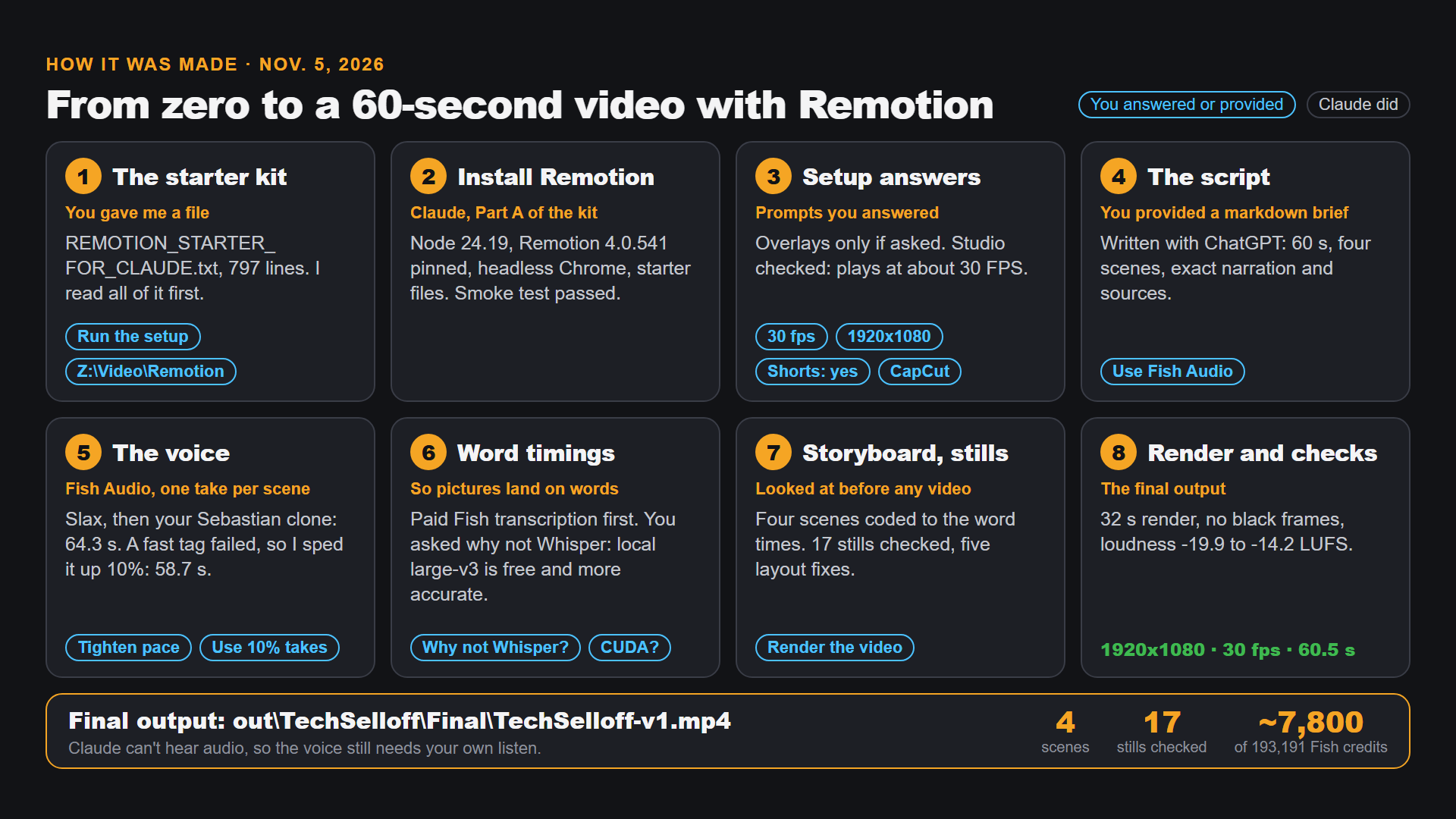
The short version (TL;DR): In the past two weeks I watched Claude Code go from writing software to making crisp explainer videos, music videos and walkable 3D worlds. I followed the trail from one video to the next, tried a small version myself today as my retirement portfolio dropped, and picked my next project. Here is that trail, in the order it made sense.
The first thing I noticed was the text.
For two weeks, a certain kind of YouTube video kept turning up in my feed. The graphics were crisp. The labels were sharp. Every word on screen was completely legible, which I can't say about the majority of AI videos. Some of them were made with Claude Motion, some with Claude code & Remotion, a tool that turns code into video frames.
Words drawn by code don't smear. They sit exactly where someone told the computer to put them.
Then a song made me stop
The same look showed up somewhere I didn't expect: a music video.
This video that blew me away runs four and a half minutes, and squeezes 183 years of AI into them, from a punched card in 1843 to 2026. The description says every release on its timeline is real, all 496 of them.
What made it more than a lucky find is that the creator shared exactly how it was made:
- Music and vocals: generated with Suno.
- Video: rendered frame by frame in code, using Canvas2D, Three.js and WebGL.
- Images: AI-generated with GPT image generation, through Codex.
- Moving clips: AI video from Higgsfield, using Seedance 2.5 and MiniMax H3.
- The glue: Claude Code.
It isn't one tool doing everything. It's a small orchestra, and Claude Code is holding the baton. Code draws what has to be exact. AI models paint what has to feel alive.
The recipe, and the price
I wanted to know how a person actually works this way, so I watched
The creator called Imaginative Prompting even edited the video itself in Claude Code, and the editor footage you see is fake, built for the video.
Two things stayed with me.
The first is how little he calls "a process." In the description he says it's not really a set thing, more like talking to Claude until he's happy with the video.
The second is that one chapter is titled 2,000+ prompts, tokens & cost. He has also put the skills he had Claude write on GitHub, so you can read his workflow rather than guess at it.
I learned that a result like this can cost up to $75 in credits, because you try, retry and refine. I didn't mind the money so much as what it would be spent on.
I want to create a music video with real meaning, built around a song I'm passionate about, not an experiment I forget in 2 days. So I made a decision: wait for that project.
That left a question. How do I learn the tools in the meantime, at a price that doesn't sting?
As luck would have it, just earlier this week week Ioan from Pixaroma shared a text file with instructions for installing Remotion. You can download it for free in the link below.
You just need to put this text file in a folder with a short path name and then start Claude from there and ask it to use it to install Remotion.
A smaller test, on a bad day
Today the stock market fell hard, and my retirement portfolio fell with it.
So I asked myself: could Remotion help me explain what had happened? Not predict anything. Only explain.
I tried. The result is a one minute short video and an infographic, both attached to this post.
My first explainer video created entirely with Claude Code + Remotion
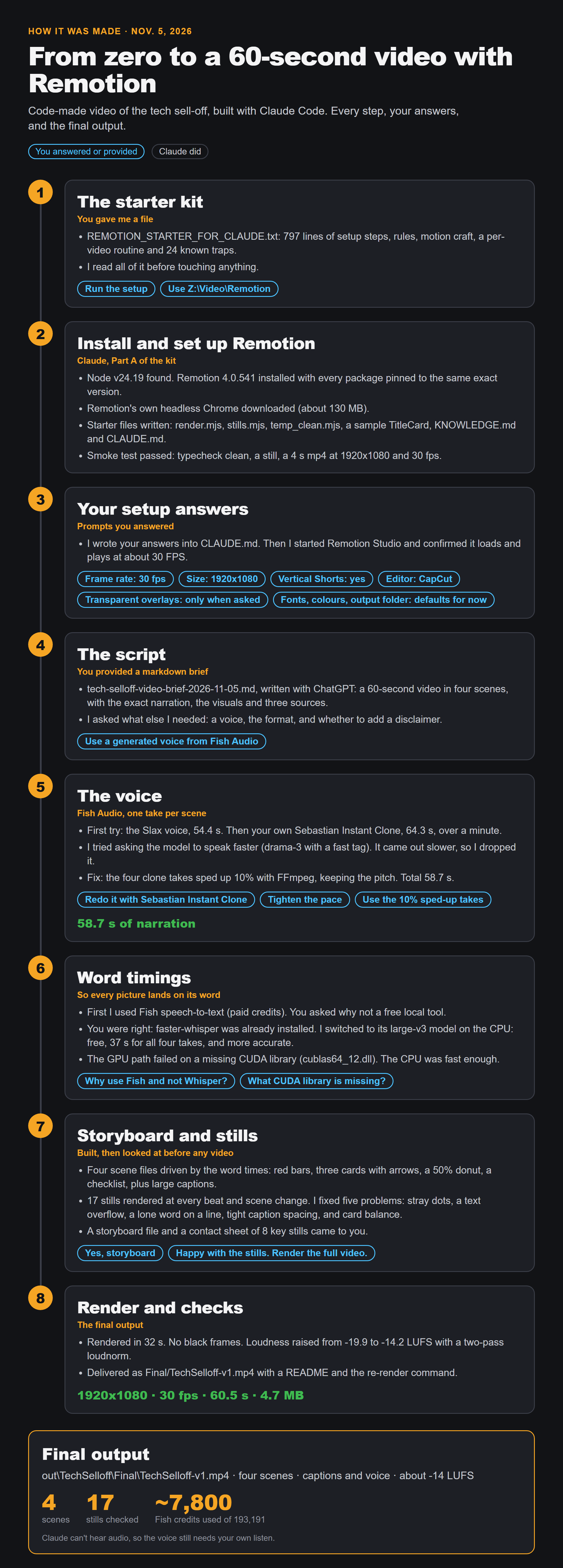
It's a small example, and that was the point.
A bad day in the stock market gave me a reason to learn something new and share it with you.
The next room
Now I'm after something bigger: turning the floor plan of my own home into a walkable 3D space, using Claude Code, Blender and Unreal Engine.
The catalyst for this was the following video:
It's from Skill Leap AI, and presented by Saj, one of the company's founders. He has Claude build three different 3D worlds with Blender and Unreal Engine, walking from the first prompt to the finished scene. One of them is a 3D animation of his Second Brain Castle: a castle made of your own notes of books you read.
Skill Leap has truly excellent tutorials. I haven't really used the platform this past year, but if the annual plan again goes on sale for Black Friday, I plan to renew my subscription
What today taught me:
- Notice. Something looks better than it should. Ask how.
- Learn the recipe. The best creators often share what they used.
- Wait for the right project before spending real money on the big one.
- Practise small. Use a real, present problem, like a market that fell today.
- Then reach. Only after that, try the walkable house.